VS Code extension

You have already written the spec.
It is buried in your chat history.

Every prompt you have sent to GitHub Copilot Chat is sitting on your disk — the requirements, the conventions, and every correction you had to make. This reads all of it, groups it by topic, and distils each area into one reusable prompt.

96 seconds, narrated. Recorded against the real extension, not a mock-up.

The context you keep re-explaining

You repeat yourself

The same preference, explained again in a new session because the last one is gone. The assistant has no memory of the thirty times you asked for the same thing.

You correct the same mistakes

"No, not like that." Those corrections are the most valuable thing you have ever typed, and they evaporate the moment the session closes.

You cannot see the shape of it

Hundreds of prompts across dozens of projects, with no way to ask what you actually spend your time on.

What it does

Working prompts, per area

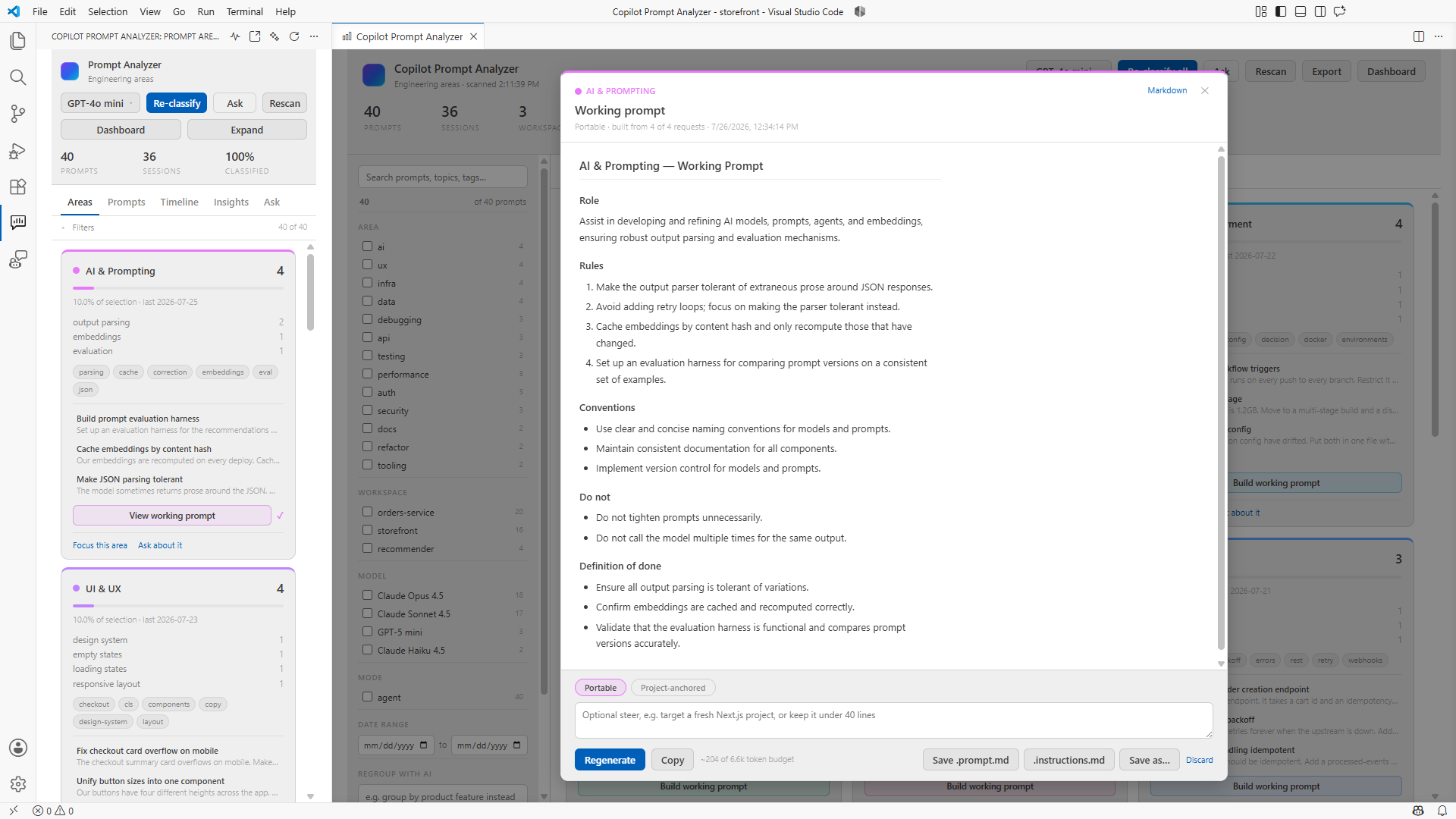
The core idea. Pick an area — auth, database, UI — and it reads every request you ever made in it, then produces one prompt covering the objective, your stack, the concrete requirements, your conventions, a Do not list mined from your corrections, and a definition of done.

Save it to .github/prompts/ and it becomes a / command in chat. Save it to .github/instructions/ and it applies automatically.

Grouped by topic

Prompts are classified into areas — UI, API, data, auth, security, infra, testing, performance and more. Not happy with the taxonomy? Describe a different one and it regroups.

Ask your own history

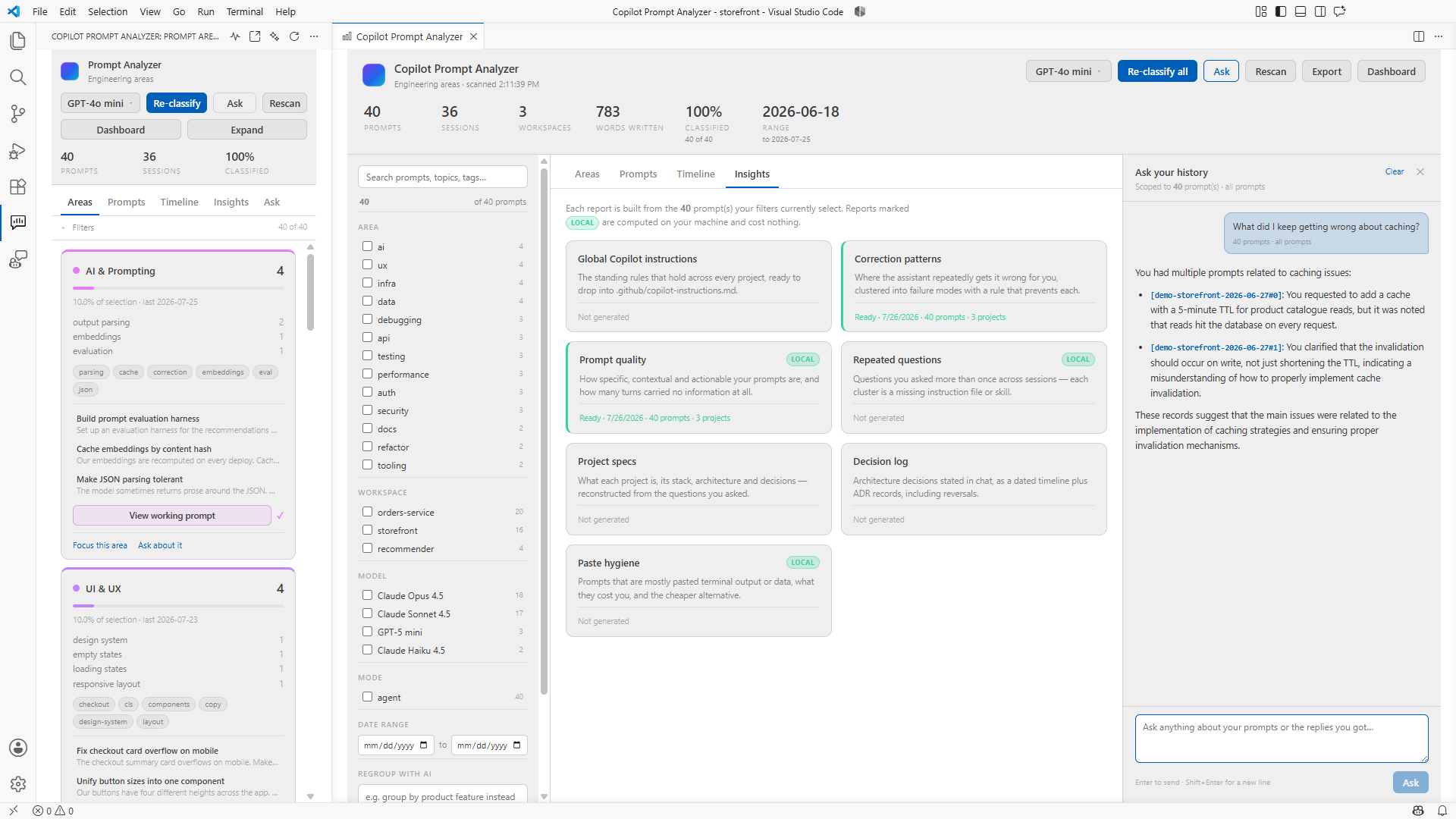
"What did I keep getting wrong about auth?" Answers are grounded in the prompts your filters select, and cite them.

Correction patterns

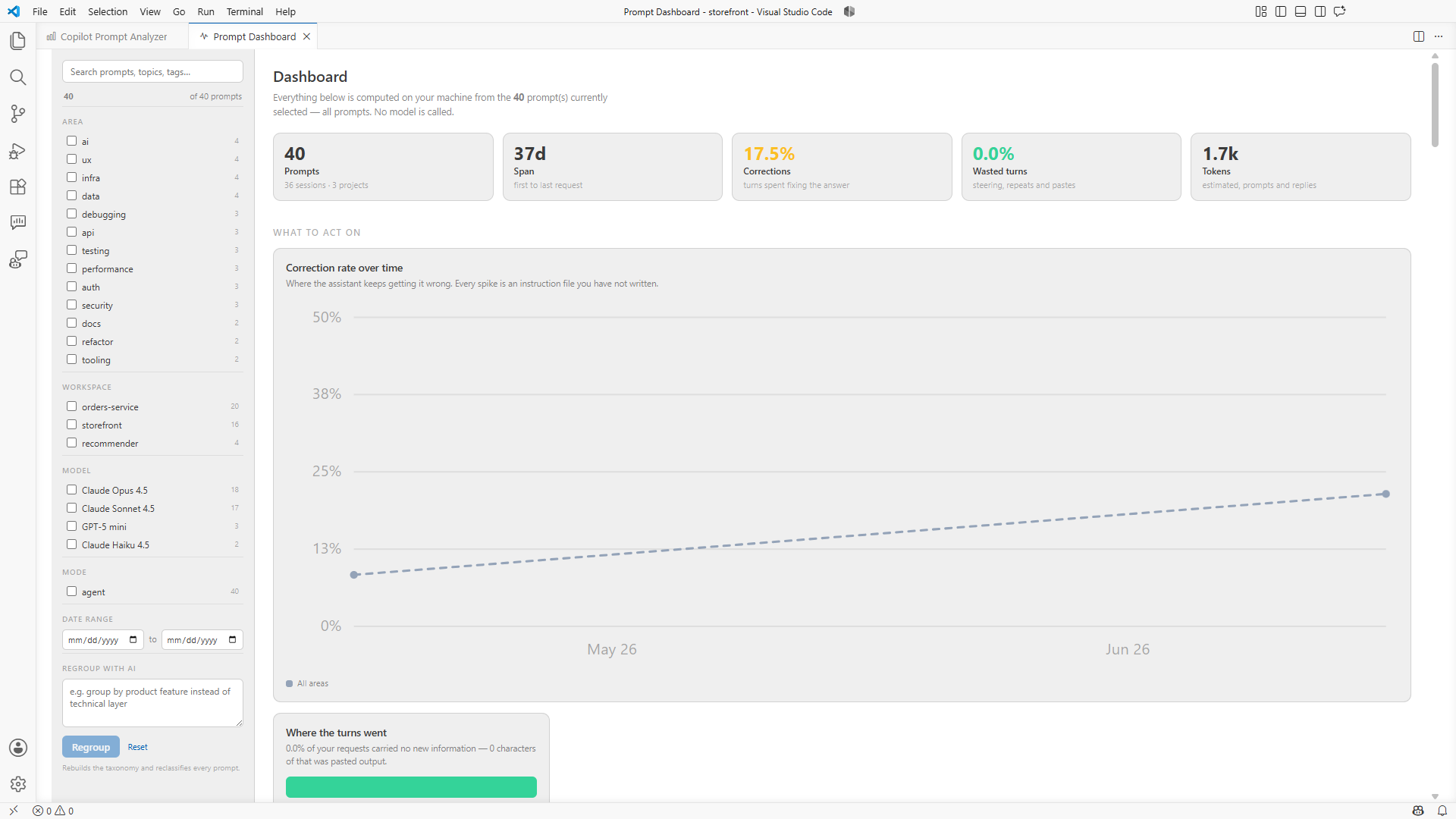
Where the assistant repeatedly fails you, clustered into failure modes, each with a copy-ready rule that prevents it.

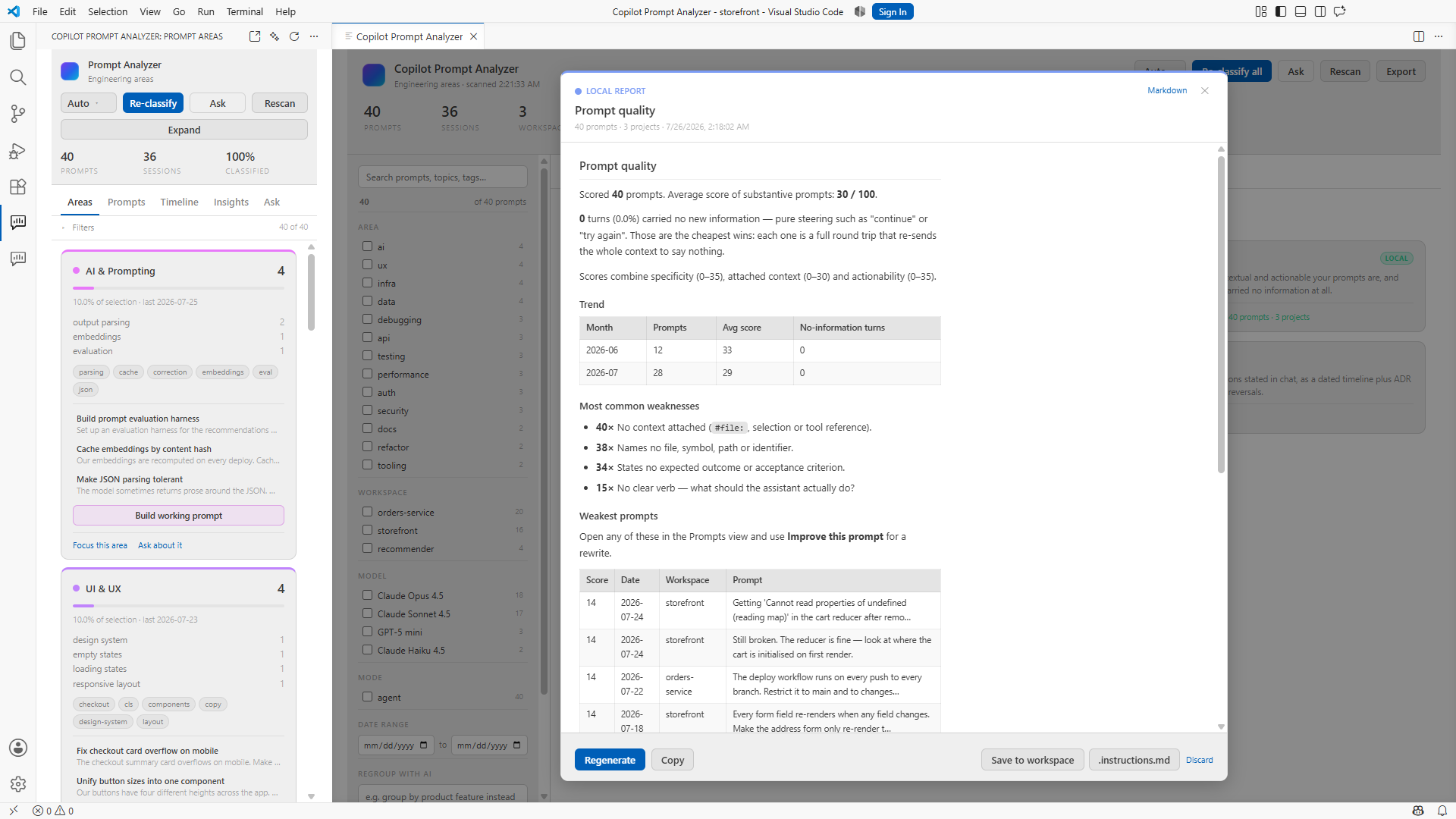
Prompt quality

Specificity, context and actionability scored per prompt, with a monthly trend and the share of turns that carried no information at all. Computed locally.

Repeated questions

Near-duplicate asks across sessions and months. Each cluster is an instruction file you have not written yet.

Paste hygiene

Finds the prompts that are mostly pasted terminal output, tells you what they cost, and what to do instead.

Project specs & decision log

Reconstructs what each project is from the questions you asked while building it, and recovers the architecture decisions you made in chat — including the ones you later reversed.

Global instructions

The rules that hold everywhere, distilled into a copilot-instructions.md that improves every future session whether you remember this tool or not.

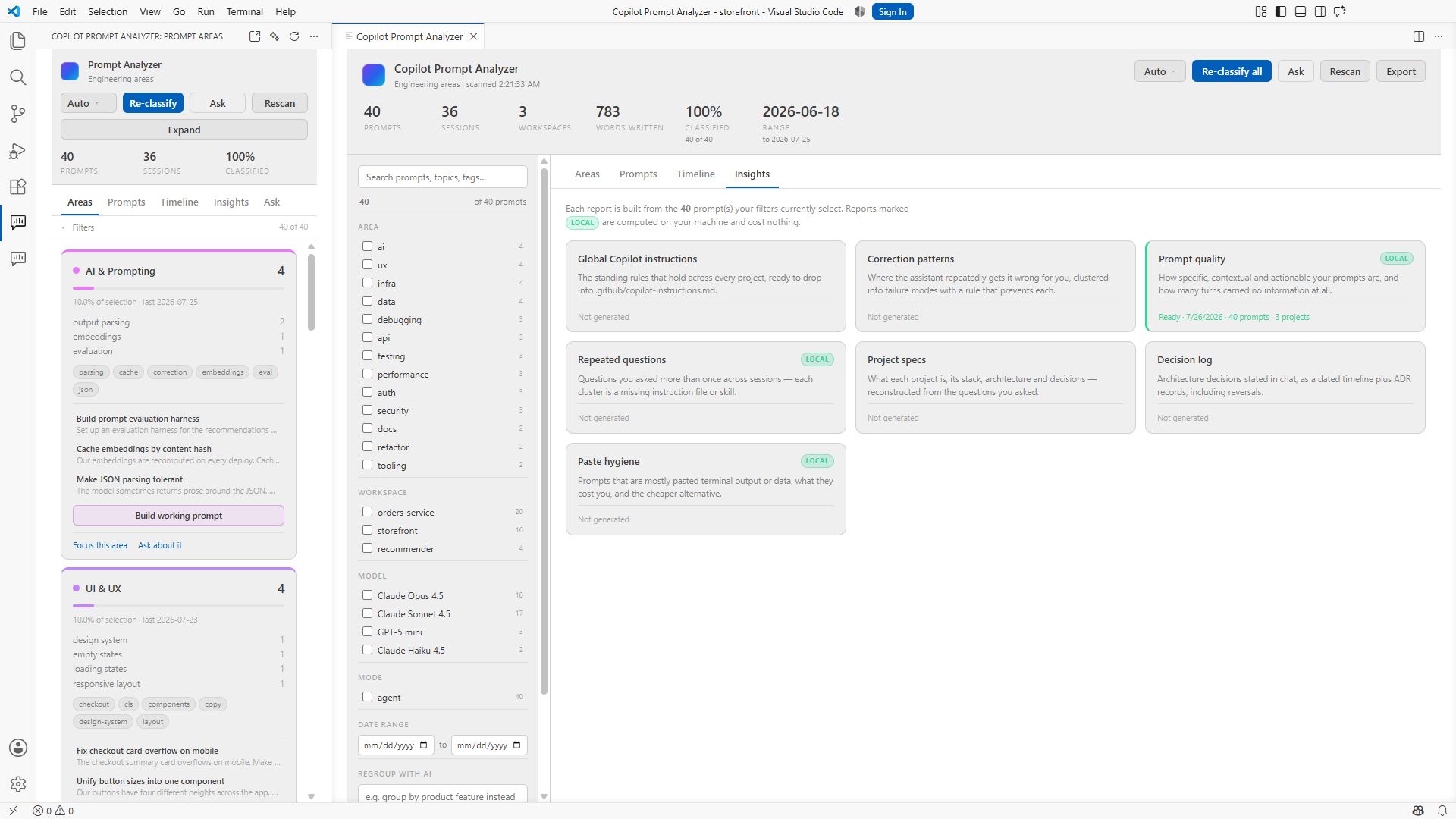
The Insights tab listing seven reports, three of them marked as computed locally.
Seven reports. The ones marked local never touch a model.
The prompt quality report, scoring requests for specificity, context and clarity.
Prompt quality scores every request you wrote, then shows the weakest ones.

How it works

  1. 1

    It reads what is already there

    VS Code writes every chat session to disk as JSON. The extension reads those files directly — no setup, no export, no account. Your history is there the moment you open it.

  2. 2

    It classifies with your own Copilot

    Grouping and synthesis run through the VS Code Language Model API, using the subscription you already pay for. No API key. Results are cached by prompt text, so nothing is re-classified twice.

  3. 3

    It gives you something to use tomorrow

    Working prompts, instruction files and reports — written into your repo in the formats Copilot already understands.

Where your data goes

Stays on your machine

  • Chat history is read from local files, never uploaded.
  • Classifications and generated documents are stored locally.
  • Three of the seven reports never leave your machine at all.
  • No telemetry. No analytics. No account.

Worth knowing

  • Classification and synthesis send prompt text to a model through your Copilot subscription, under its terms.
  • Your prompts contain code, paths and anything you pasted into chat. Filter to a project first if some of it is sensitive.
  • Prompt text is truncated before it is sent, and you can see the exact token cost before every request.
  • Exports are as sensitive as the original chats. Treat them that way.

Install

Requires VS Code 1.95 or later and an active GitHub Copilot subscription.

ext install DebajyotiSaikia.copilot-prompt-analyzer

Or search Copilot Prompt Analyzer in the Extensions view.

Then open the analyzer from the activity bar and press Classify with AI.